
The SpinBuddha Sports section is built for quick match discovery, clean odds tables, and fast bet placement across popular sports, esports, and racing. You can switch between Highlights, Live Sports, Event Builder, and Bets Feed, so it’s easy to go from browsing big fixtures to building a custom bet in a couple of clicks.
Inside SpinBuddha Sports, the main menu and sport list include a wide mix of markets, such as:
You’ll also find dedicated verticals for:
The Highlights area in SpinBuddha Sportsbook works like a curated homepage:
It’s the best starting point if you don’t want to dig through leagues.
The Live tab in SpinBuddha Sports focuses on in-play action. You can filter by sport (football, basketball, tennis, esports, and others) and see:
Tip: If you prefer speed, use the Quick Bet option next to the betslip area, then confirm without re-opening the whole ticket each time.
Event Builder in the SpinBuddha Sportsbook is made for custom combos. Instead of searching markets one by one, you can:
It’s a solid option when you already know the angle you want (e.g., match outcome + over/under).
The Bets Feed area is a discovery tool: you can scroll through activity and see what’s being played, then jump back to markets you’re interested in. It’s useful for spotting trending leagues, especially during busy match windows.
SpinBuddha Esports is presented like a full sportsbook category, with quick tabs for major titles (for example: Counter-Strike, Dota 2, Valorant, LoL, Rainbow Six, Call of Duty, and others).
What stands out in the esports section:
If you like esports, this layout makes it easy to move between games without getting lost in menus.
The Racing hub at SpinBuddha separates:
You can browse by timing and status (e.g., Next to Jump, Today, Tomorrow, Upcoming, Results) and view races in card format with runners and key prices. It’s built for quick scanning when multiple tracks are live.
Placing a bet in SpinBuddha Sportsbook follows a simple flow:
You can repeat this to create multiples/accumulators by adding more selections before confirming.
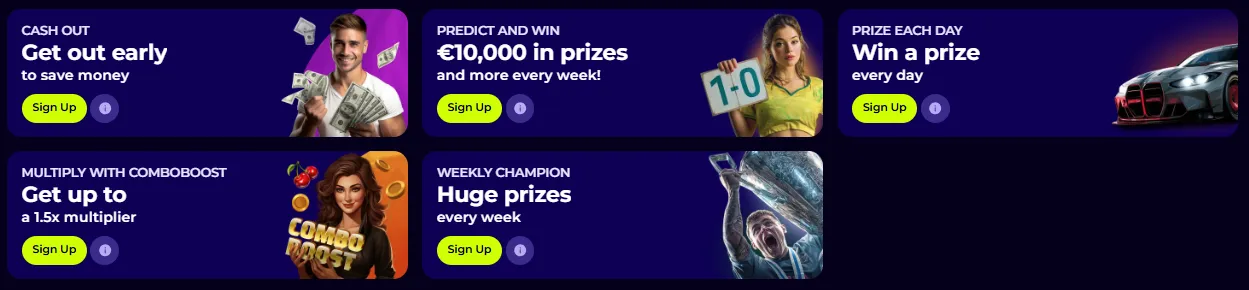
The Sports promo area shown on-site highlights several offer types, including:
Promos can be time-limited and vary by region—always open the offer card and read the terms before opting in.

You can access SpinBuddha ports from the main site navigation and place bets after logging in. If you’re new, the Sign up button is always visible at the top-right, and the sportsbook works best once your account is verified and funded.
If something doesn’t look right (missing markets, settlement questions, account limits), use the Help Center button in the interface. The FAQ section on-site also covers common account topics like login recovery, profile updates, and general rules.
Sports betting is fast-paced—especially live markets. Set a budget, avoid chasing losses, and use account tools (limits/self-exclusion) if you need to pause or stop.
Yes. The Live section shows in-play events with quick-access markets like 1X2, Double Chance, and Totals (Over/Under).
It’s a tool for creating custom bets by combining multiple selections from the same match in one place.
Yes. There’s a dedicated Esports area with popular titles (e.g., Counter-Strike, Dota 2, Valorant, League of Legends and more).
Yes. The Racing section covers Horse Racing, Greyhound, and Harness, with filters like Next to Jump and Today.
The promotions section shows a multi-step sports deposit bonus structure (1st/2nd/3rd deposit) and rotating promo campaigns. Terms and availability can vary, so check each promo card.