
Logging in at SpinBuddha Casino is quick: open the site, click Log in (top-right), enter your details, and you’re back in the lobby within seconds. Below is a simple walkthrough, plus fixes for the most common login problems.
Tip: Use the eye icon in the password field to show/hide your password if you think you mistyped it.
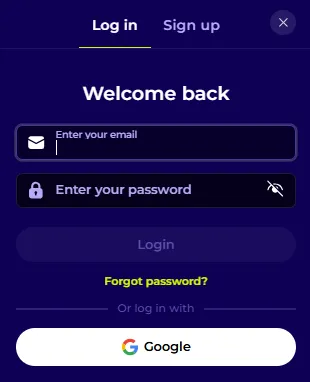
SpinBuddha Casino also supports Google sign-in:
This is handy if you prefer fewer passwords to remember—just make sure your Google account has strong security (2-step verification is ideal).
If you can’t remember your password:
If the email doesn’t arrive, check Spam/Junk and ensure you’re using the same email you registered with.
If SpinBuddha Casino login isn’t working, try these quick checks:
If you don’t have an account yet:
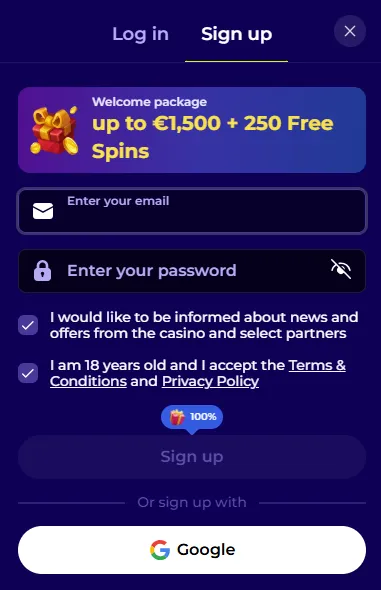
During sign-up, SpinBuddha Casino highlights a welcome package up to €1,500 + 250 Free Spins. Always open the bonus terms inside your account/cashier area so you know what applies in your region and which games count toward wagering.
In the SpinBuddha Casino FAQ, the platform indicates you can usually update details here:
If your details are already verified, you may need to contact Support to change them.
The country linked to your account can’t be changed for security reasons. If you’ve moved, you’ll typically need to contact Support for assistance.
If you want to stop playing:
Responsible play matters—use deposit limits, time-outs, and self-exclusion tools if you feel you’re losing control.
If the usual troubleshooting doesn’t work, use the Help Center button (bottom-left) or the FAQ page for quick answers.
For account-specific issues (verification changes, suspended accounts, security checks), contact Support directly—email: support@spinbuddha.com.
A few simple habits make a big difference:
Top-right of the site. Clicking Log in opens the login pop-up.
Yes. Choose Google inside the login window.
Click Forgot password? on the login pop-up and follow the steps. You should receive a confirmation email after it’s updated.
The FAQ mentions security checks, duplicate accounts (device/IP/browser links), or other Terms-related issues. Support can confirm the exact reason.
You can self-exclude via profile settings, and for closing the account the FAQ suggests contacting Support (Live Chat or support@spinbuddha.com).